WordPress Website Maintenance for Agencies: A Practical Guide
Managing multiple WordPress websites? Learn how agencies can handle updates, backups, security and performance with a reliable maintenance process.
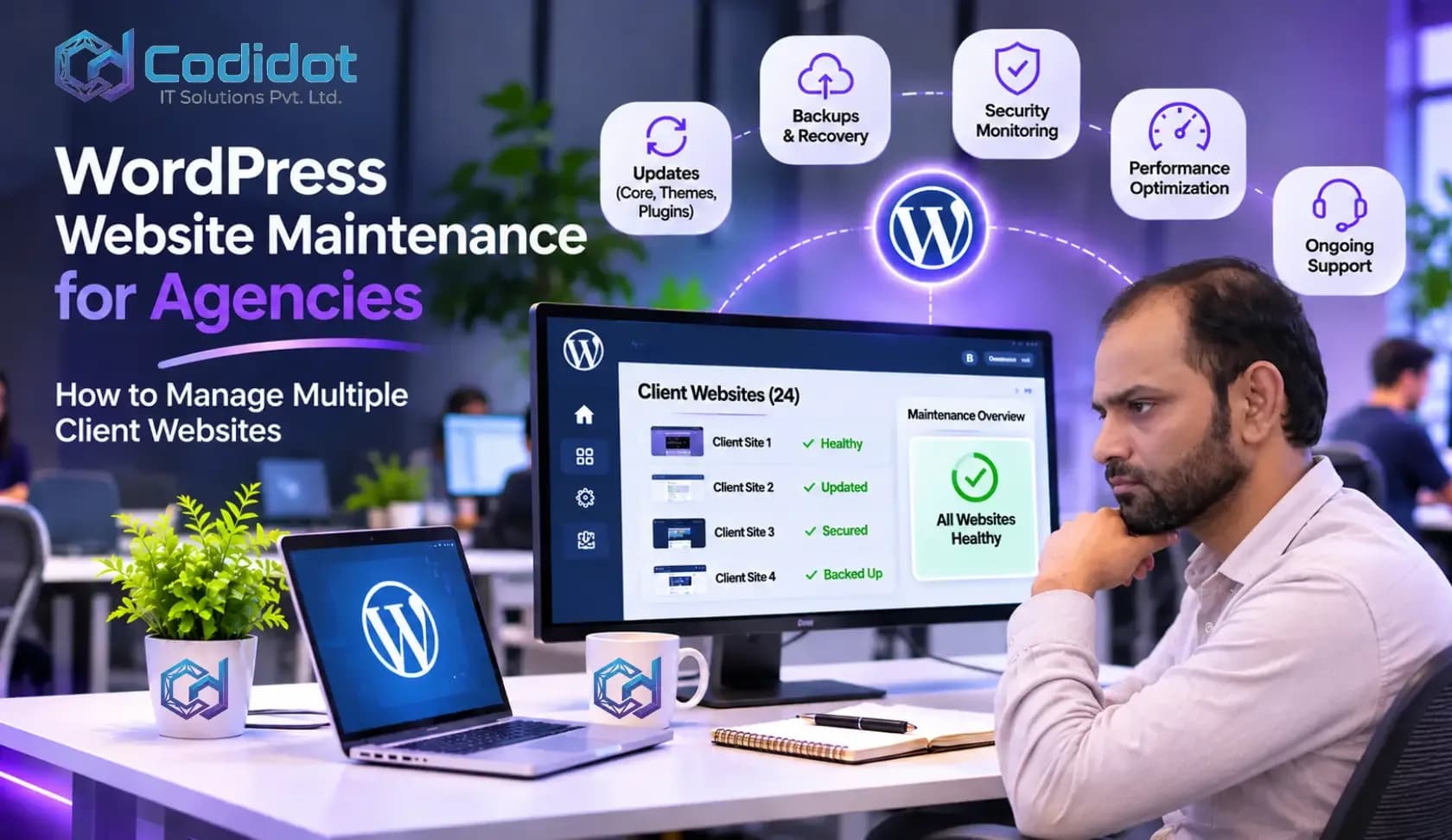
WordPress Website Maintenance for Agencies: How to Manage Multiple Client Websites
Managing one WordPress website is usually straightforward. You install the required plugins, configure the theme, publish content, and make sure everything works as expected.
But things become different when you are responsible for 10, 20, or even 50 client websites.
Every website has its own plugins, themes, hosting environment, security requirements, and performance issues. One client may request a small design change, while another may report that their contact form has stopped working. At the same time, several websites may need WordPress updates or security checks.
For digital agencies, this can quickly become a time-consuming responsibility.
The challenge is not simply keeping websites online. It is maintaining them properly without allowing routine technical work to consume the time needed for client communication, new projects, sales, and business development.
This is why having a structured WordPress website maintenance process is important for agencies.
In this guide, we will look at how agencies can manage multiple WordPress websites, which maintenance tasks deserve attention, common problems to avoid, and how working with a development partner can make the process easier.
Why WordPress Website Maintenance Becomes Difficult as an Agency Grows
When an agency starts working with its first few WordPress clients, website maintenance usually feels manageable.
A developer can log in, update a few plugins, check the website, and move on to the next task.
However, as the client base grows, the same process becomes harder to manage.
Consider an agency looking after 25 WordPress websites.
Each website may have a different combination of plugins, themes, page builders, hosting providers, and custom functionality.
Some websites may use WooCommerce, while others depend on Elementor, membership plugins, booking systems, or third-party integrations.
Updating everything without a proper process can create problems.
For example, a plugin update might conflict with a custom theme. A website that was working perfectly in the morning may suddenly display a layout issue after an update.
Now the agency has another task to investigate, fix, and explain to its client.
This is where WordPress website management needs to become an organized process rather than an occasional technical activity.
What Does WordPress Website Maintenance Actually Include?
WordPress website maintenance involves several tasks that keep a website secure, functional, and reliable.
Some tasks need regular attention, while others should be performed whenever a particular issue or requirement arises.
Here are the main areas agencies should cover.
1. WordPress Core, Theme and Plugin Updates
WordPress regularly releases updates to improve functionality, compatibility, and security.
Plugins and themes also receive updates from their developers.
Keeping everything updated is important, but applying updates without checking compatibility can cause unexpected issues.
A sensible WordPress maintenance service should include:
Checking available WordPress updates.
Reviewing plugin and theme updates.
Checking compatibility with the existing website.
Taking a backup before significant updates.
Applying updates in a controlled manner.
Testing important website functionality afterwards.
For websites with custom functionality, additional testing may be necessary.
For example, a WooCommerce store should be checked for product pages, cart functionality, checkout behaviour, and payment integrations after relevant updates.
Simply seeing that the WordPress dashboard displays everything as updated does not mean the website is working correctly.
2. Regular WordPress Website Backups
Backups are one of those things that are easy to ignore until something goes wrong.
A website may experience problems because of a failed update, accidental file deletion, server issue, security incident, or human error.
Without a recent backup, recovering the website can become difficult.
For agency-managed websites, backups should be planned according to the importance and frequency of website changes.
A business website that rarely changes may require a different backup schedule from an online store receiving orders throughout the day.
A good WordPress backup and recovery strategy should consider:
Website files.
WordPress database.
Uploaded media.
Plugin and theme configurations.
Backup storage outside the main hosting environment.
Retention periods.
Restoration testing.
One important point: creating backups is not enough. Agencies should occasionally test whether those backups can actually restore a working website.
A backup that cannot be restored is of little practical value.
3. WordPress Security and Maintenance
Security is another important responsibility when managing multiple websites.
A compromised website can affect the client's business, search visibility, reputation, and customer trust.
Common security concerns include outdated plugins, weak passwords, vulnerable themes, suspicious administrator accounts, and poorly configured hosting environments.
Agencies should establish basic WordPress security and maintenance practices such as:
Keeping WordPress and installed software updated.
Using strong passwords and appropriate user permissions.
Enabling two-factor authentication where appropriate.
Removing unused plugins and themes.
Monitoring suspicious activity.
Using SSL certificates.
Reviewing administrator accounts.
Maintaining reliable backups.
For websites handling customer information or online transactions, security requirements deserve additional attention.
No security plugin can guarantee complete protection. Security works best when updates, access control, monitoring, hosting configuration, and recovery procedures are handled together.
For more information, read our guide on Website Security Basics Every Business Needs in 2026.
4. WordPress Website Speed and Performance Optimization
A website may work perfectly but still provide a poor experience if pages take too long to load.
Slow websites can frustrate visitors, particularly when they are browsing on mobile devices or using slower internet connections.
Performance issues can come from several places:
Large, unoptimized images.
Too many unnecessary plugins.
Poorly configured caching.
Heavy JavaScript and CSS files.
Slow hosting resources.
Database overhead.
External scripts and third-party integrations.
Agencies should periodically review website performance instead of waiting for a client to complain.
Tools such as Google PageSpeed Insights can help identify performance opportunities.
However, optimization should be based on the actual problem.
Installing multiple caching plugins or compressing every resource without understanding the website can create additional compatibility issues.
The objective should be to improve WordPress website performance while preserving its functionality.
5. Website Forms and Functional Testing
This is one of the maintenance tasks that can easily be overlooked.
Imagine a business spending money on Google Ads and SEO to generate enquiries. The website looks fine, and all pages are loading correctly, but the contact form is not delivering messages.
The business may be losing enquiries without realizing it.
That is why agencies should periodically test important website functionality.
Depending on the website, this may include:
Contact forms.
Quote request forms.
Newsletter subscriptions.
Login and registration.
Booking systems.
Payment integrations.
Shopping cart functionality.
Customer dashboards.
Email notifications.
For WooCommerce websites, it is also worth checking the order process and important checkout integrations.
A maintenance checklist should reflect what the particular website actually does, rather than using the same generic checklist for every client.
How to Manage Multiple WordPress Websites Efficiently
The biggest mistake agencies make is managing every website separately without a consistent process.
As the number of client websites increases, the agency needs a system that provides visibility into what requires attention.
Here are some practical ways to improve WordPress website management.
1. Maintain a Central Website Inventory
Start by creating a central record of all client websites.
This does not need to be complicated. A spreadsheet or project management system can work initially.
For each website, record:
Client or business name.
Website URL.
WordPress version.
Hosting provider.
Active theme.
Important plugins.
Backup configuration.
Maintenance frequency.
Last maintenance date.
Known technical issues.
Responsible team member.
This information becomes especially useful when a developer needs to investigate an issue or another team member takes responsibility for a website.
It also reduces the time spent searching for basic website information.
2. Use a Centralized WordPress Management Tool
Logging into every WordPress dashboard individually becomes inefficient when an agency manages many websites.
Centralized WordPress management tools can make routine work easier.
Some commonly used options include:
MainWP
MainWP is a self-hosted WordPress management solution that helps users manage multiple WordPress websites from one dashboard.
It can be useful for agencies that want more control over their website management setup.
ManageWP
ManageWP offers centralized website management features, including updates, backups, monitoring, and other maintenance-related capabilities.
WP Umbrella
WP Umbrella focuses on WordPress website management and maintenance workflows for professionals managing multiple websites.
The right tool depends on the agency's budget, number of websites, hosting environment, and maintenance requirements.
A management tool can simplify routine operations, but it does not replace technical knowledge or proper testing.
3. Create a WordPress Maintenance Schedule
Not every website needs the same maintenance routine.
A corporate website, an online store, and a membership platform have different requirements.
Instead of treating all websites equally, classify them according to business importance and technical complexity.
Website typeMaintenance priorityCorporate websiteRegular updates and security checksBusiness lead generation websiteForms, uptime and performanceWooCommerce storeOrders, checkout, backups and securityMembership websiteLogin, subscriptions and permissionsCustom web applicationFunctional testing and integration checks
Create a schedule that identifies when each website should be reviewed and which tasks are required.
This makes it easier to distribute work across developers and avoid last-minute maintenance.
4. Keep a Record of Every Maintenance Activity
A maintenance activity should not disappear after a developer finishes the task.
Keep a record of what was updated, what was tested, and whether any issues were discovered.
For example:
Website: Example Business Website
Maintenance completed:
WordPress core reviewed.
Plugin updates completed.
Backup verified.
Contact form tested.
Homepage and important pages checked.
Performance reviewed.
Outstanding issue: One third-party integration requires further investigation.
This information makes future troubleshooting easier and provides a clear maintenance history.
It can also help agencies explain the work completed when clients ask for an update.
5. Separate Routine Maintenance From Development Requests
Not every website change is a maintenance task.
A client may ask for a plugin update one day and request a complete landing page redesign the next.
These should not automatically be treated as the same type of work.
It is useful to separate:
Routine maintenance
Software updates.
Backup checks.
Security reviews.
Basic functional testing.
Performance monitoring.
Development requests
New website sections.
Custom plugin functionality.
Theme modifications.
WooCommerce customization.
API integrations.
New landing pages.
This distinction helps agencies estimate work accurately and avoid including unlimited development changes within a basic maintenance arrangement.
For more complex requirements, agencies may also need CRM integration services to connect website enquiries and business applications with their clients' existing systems.
Common WordPress Maintenance Problems Agencies Should Avoid
Even experienced development teams can run into problems when managing multiple websites.
Some issues are particularly common.
Updating Plugins Without Taking a Backup
A plugin update may introduce compatibility issues with the theme or another installed plugin.
Having a recent backup provides a recovery option if something goes wrong.
Ignoring Websites That Appear to Be Working Fine
A website can look normal while running outdated software or experiencing problems with backups, forms, or security monitoring.
Routine checks help identify issues before they become more serious.
Installing Too Many Plugins
Adding a separate plugin for every small requirement can make a website harder to manage.
Review installed plugins regularly and remove those that are no longer required.
For custom functionality, it may sometimes be better to implement a suitable custom solution.
Not Testing After Updates
An update may complete successfully while affecting an important website feature.
Always test the functionality that matters to the particular website.
Offering Unlimited Support Without Clear Boundaries
Some agencies include maintenance within their client packages but fail to define exactly what is covered.
This can lead to misunderstandings when clients start requesting design changes, new features, or complex development work.
Define the scope of maintenance, response expectations, and additional development charges clearly.
Should Agencies Handle WordPress Maintenance In-House or Outsource It?
There is no single answer that works for every agency.
Some agencies have an established development department with enough resources to handle maintenance internally.
Others mainly focus on SEO, digital marketing, branding, or website design and do not want to employ developers specifically for ongoing maintenance.
In such situations, working with an external WordPress development partner may be a practical option.
When In-House Maintenance Makes Sense
Managing maintenance internally can work well when:
Your agency has an established technical team.
You manage a large number of custom WordPress projects.
You need direct control over every technical task.
You have predictable ongoing development requirements.
When Outsourcing WordPress Maintenance May Be Better
Outsourcing can be useful when:
Your agency does not have enough developers.
Your existing team is busy with new projects.
You manage websites across different technologies.
You need additional technical support during busy periods.
You want to expand your maintenance services without immediately hiring permanent employees.
A hybrid approach is also possible.
Your agency can manage client relationships, project coordination, and routine communication while a development partner handles agreed technical tasks.
The key is to establish a clear working process.
What to Look for in a WordPress Maintenance Partner
Choosing an external development team requires more consideration than simply comparing quotations.
Your agency is trusting another team with websites that belong to its clients.
Before starting a partnership, consider the following.
WordPress experience
Look for practical experience with WordPress themes, plugins, WooCommerce, Elementor, and custom functionality.
Security and backup practices
Ask how the team handles backups, update-related problems, security checks, and recovery situations.
Communication
You should know who is responsible for your projects and how maintenance updates will be shared.
Testing process
Find out whether the team tests important website functionality after updates.
Confidentiality
Discuss client information, website credentials, source code access, and confidentiality arrangements.
Flexible support
Your agency may need occasional assistance with one website today and regular support for several websites later. Discuss how the partnership can accommodate changing requirements.
Starting with a small project is often the easiest way to understand how well both teams work together.
How CODIDOT IT Solutions Supports WordPress Development and Maintenance Requirements
At CODIDOT IT Solutions Pvt. Ltd., we understand that agencies need dependable technical support to manage their clients' websites.
A website maintenance requirement may involve a simple plugin update, but it can also require investigating a theme conflict, fixing a broken layout, improving website performance, or resolving a WooCommerce issue.
Our development capabilities cover different areas of the WordPress ecosystem, including:
WordPress Development
Custom WordPress websites, theme development, plugin development, Elementor customization, and website functionality improvements.
WooCommerce Development
Store customization, product page development, shopping cart functionality, and eCommerce integrations.
You can also explore our eCommerce solutions to learn more about the digital platforms we work with.
Website Performance and Technical Improvements
Technical improvements focused on loading performance, resource optimization, and overall website experience.
WordPress Troubleshooting
Assistance with plugin conflicts, theme issues, broken layouts, and other technical problems.
API and Third-Party Integrations
Integration of external services with WordPress websites and business systems.
For businesses looking to connect their website with sales and customer management tools, our CRM integration services may also be relevant.
We work with businesses and agencies that require practical development support for their digital projects.
If your agency is managing multiple WordPress websites and needs additional technical resources, we would be happy to understand your requirements and discuss a suitable working arrangement.
Frequently Asked Questions About WordPress Website Maintenance
How often should WordPress websites be maintained?
WordPress websites should be monitored regularly. Software updates, security checks, and backups should follow a planned schedule based on the website's importance and activity. Important functionality should also be tested after relevant changes.
How can an agency manage multiple WordPress websites from one dashboard?
Agencies can use centralized management tools such as MainWP, ManageWP, or WP Umbrella. These tools can help manage updates, backups, monitoring, and other routine tasks from a central interface.
What is included in WordPress website maintenance services?
Common services include WordPress core updates, plugin and theme updates, backups, security reviews, uptime monitoring, performance checks, and basic functional testing. The exact scope depends on the maintenance agreement.
Can WordPress maintenance be outsourced?
Yes. Agencies can outsource WordPress maintenance to an experienced development company. This can provide additional technical capacity without requiring the agency to recruit a full-time maintenance team.
What is white label WordPress maintenance?
White label WordPress maintenance allows an agency to offer website maintenance under its own brand while an external development partner handles the agreed technical work behind the scenes.
Is WordPress maintenance necessary for small business websites?
Yes. Even a small business website needs updates, backups, security checks, and occasional functional testing. A smaller website may need fewer maintenance hours, but it should not be ignored.
Does updating WordPress plugins affect website functionality?
It can. Plugin updates may introduce compatibility issues with themes, other plugins, or custom code. This is why taking a backup and testing important functionality after updates is recommended.
How much does WordPress website maintenance cost?
The cost depends on the number of websites, technical complexity, maintenance frequency, support requirements, and whether development changes are included. Agencies should define the scope before comparing maintenance quotations.
Final Thoughts
Managing multiple WordPress websites is not difficult because of one particular maintenance task. The real challenge is keeping everything organized as the number of clients and technical responsibilities increases.
Without a clear process, routine updates, backup checks, security reviews, and small technical issues can take more time than expected.
Agencies that maintain proper website records, follow a regular maintenance schedule, and use suitable management tools can make this work much easier.
And when internal resources become limited, working with a reliable development partner can provide additional support without changing the way the agency manages its client relationships.
If your agency needs WordPress development or maintenance support, get in touch with CODIDOT IT Solutions.
Contact our team to discuss your requirements.
Let your team focus on growing the agency while the technical work is handled with care.