
AI Agents for Business Automation in 2026: Benefits, Use Cases, and Future Trends
Discover how AI agents are transforming business automation, improving productivity, streamlining workflows, and helping companies scale smarter.
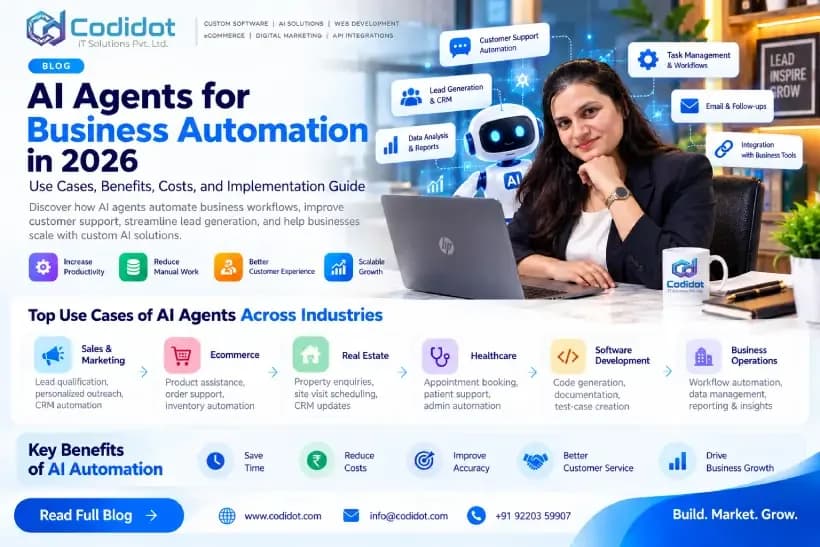
Businesses today are looking for practical ways to improve productivity, reduce repetitive work, and deliver better customer experiences. Artificial intelligence (AI) is creating new opportunities to automate business processes, and one of the most promising developments is the growing use of AI agents.
AI agents for business automation can help companies coordinate tasks, interact with business applications, analyze information, and support multi-step workflows. Unlike basic chatbots or rule-based automation, AI agents can use AI models and connected tools to work toward a defined objective, subject to their permissions and configured safeguards.
From sales and marketing to customer service and ecommerce, businesses are exploring how AI-powered automation can improve their operations.
In this guide, we explain what AI agents are, how businesses can use them, what implementation costs depend on, and how to start an AI automation project successfully.
What Are AI Agents for Business Automation?
AI agents are software systems that use artificial intelligence to interpret objectives, process information, and perform tasks through available tools and integrations.
For example, a conventional chatbot might answer a question about your services. An AI agent connected to your CRM could potentially answer an enquiry, collect customer requirements, create a lead record, and prepare a follow-up task for a sales representative.
These capabilities depend on the AI model, integrations, permissions, and workflow design.
Common components of an AI agent include:
AI model: Interprets instructions and helps determine the next action.
Tools and APIs: Allow the system to interact with approved applications.
Business data: Provides relevant context from authorized sources.
Workflow logic: Defines task sequences, rules, and decision points.
Monitoring and safeguards: Help control errors, permissions, and sensitive actions.
AI agents do not automatically guarantee accurate decisions or successful task completion. Businesses need appropriate testing, monitoring, and human oversight.
Why Are AI Agents Becoming Important for Businesses in 2026?
Interest in agentic AI is growing as businesses explore ways to move beyond isolated AI conversations toward practical, connected workflows. Enterprise adoption is also bringing greater attention to data quality, security, permissions, and governance. Google's AI search guidance emphasizes useful, reliable content and user value—principles that also matter when explaining emerging technology to business audiences.
Here are five reasons organizations are exploring AI-powered automation.
1. Automating Multi-Step Workflows
Many business processes require several activities across different applications. AI agents can help coordinate those activities instead of requiring employees to perform every step manually.
For example, an incoming sales enquiry could trigger requirement extraction, CRM record creation, lead assignment, and a reminder for follow-up.
2. Improving Customer Response Times
AI-powered assistants can respond to common questions using approved company information. They can also collect preliminary details before transferring complex enquiries to a human representative.
This can help businesses manage enquiries outside normal working hours, depending on the solution's availability and configuration.
3. Supporting Sales and Lead Management
AI agents can assist with lead qualification, meeting preparation, CRM updates, and sales communication drafts.
Sales representatives can then focus more on understanding customer needs and building relationships.
4. Connecting Business Applications
Companies often use separate platforms for their websites, CRM, email, ecommerce stores, and project management. AI integrations can help coordinate information between these systems through authorized APIs.
5. Making Business Processes More Consistent
When properly configured, automated workflows can apply consistent procedures, record actions, and flag exceptions for review. This can make operational processes easier to monitor and improve.
Top AI Agent Use Cases Across Industries
1. AI Agents for Sales and Marketing
Sales teams often spend significant time researching prospects, updating CRM records, drafting emails, and organizing follow-ups.
AI sales automation can assist with:
Organizing incoming enquiries.
Extracting requirements from lead forms.
Summarizing customer conversations.
Drafting personalized outreach.
Preparing meeting briefs.
Updating authorized CRM fields.
Creating follow-up reminders.
Summarizing campaign performance.
Example: A B2B company receives enquiries through its website. An AI-assisted workflow extracts the requested service, checks required fields, creates a CRM record, and routes the enquiry to the relevant sales representative.
The system should not send bulk unsolicited messages or make unsupported claims about prospects. Outreach must follow applicable marketing and privacy requirements.
2. AI Agents for Ecommerce Businesses
Ecommerce companies can explore AI-powered automation for customer support and store operations.
Possible applications include:
Product discovery assistance.
Answers to common product questions.
Order-status enquiries.
Return-policy guidance.
Customer feedback classification.
Support ticket routing.
Product catalogue organization.
For Shopify and WooCommerce stores, implementation depends on available platform APIs, application permissions, and business requirements.
Sensitive actions, such as issuing refunds or changing payment details, should have appropriate authorization and audit controls.
3. AI Agents for Real Estate
Real estate companies manage property enquiries, buyer preferences, site visits, and follow-up communications.
AI-assisted real estate automation can help teams:
Collect buyer requirements.
Organize property enquiries.
Match requirements against verified listings.
Schedule site visits.
Prepare agent follow-up summaries.
Update CRM records.
Property availability, pricing, and other important details should be verified before being communicated to customers.
4. AI Agents for Healthcare Administration
Healthcare providers may use AI to support administrative workflows such as appointment scheduling, general clinic enquiries, and reminders.
Patient information requires suitable access controls, privacy safeguards, and secure integrations. Clinical advice and medical decisions should remain with qualified healthcare professionals.
5. AI Agents for Software Development
Software development teams can use AI tools to assist with:
Code generation.
Documentation.
Test-case creation.
Bug investigation.
API documentation.
Code review preparation.
Repetitive development tasks.
Developers must review generated code and validate security, performance, and correctness before deploying it.
AI Agents vs Traditional Business Automation
Choosing the right technology depends on the complexity and predictability of the workflow.
FeatureTraditional automationAI agentsDecision processPredetermined rulesAI-assisted decisionsInput handlingOften structuredCan interpret varied inputsWorkflowUsually predefinedCan coordinate multi-step tasksIntegrationsTriggers and APIsTools, APIs, and orchestrationBest suited forPredictable repetitive tasksWorkflows involving variable inputsKey considerationRule maintenanceReliability, permissions, and monitoring
Which option is better?
Traditional automation is often the better choice for simple, predictable tasks. AI agents can be useful when a process involves varied information, interpretation, or coordination across several tools.
Many businesses will benefit from combining conventional automation with AI rather than replacing every existing workflow.
How to Implement AI Agents in Your Business
A successful AI automation project starts with a business problem, not a particular AI model.
Step 1: Identify a High-Value Workflow
Choose a repetitive process with a clear business outcome.
Examples include website enquiry management, customer support routing, sales meeting preparation, or internal report generation.
Step 2: Map the Existing Process
Document the current workflow, including inputs, decisions, applications, exceptions, and final outputs.
Identify where employees lose time and which steps require human judgment.
Step 3: Define Success Metrics
Establish measurable criteria before development begins.
Possible metrics include:
Average response time.
Percentage of successfully completed tasks.
Manual work required per enquiry.
Data-entry error rate.
Cost per completed workflow.
Lead qualification accuracy.
Use baseline measurements to determine whether the solution delivers meaningful improvement.
Step 4: Select the Right Technology
Depending on the requirements, an implementation might use Python, an AI model API, a workflow orchestration framework, a database, and integrations with existing business applications.
A web interface can be built with technologies such as React or Next.js, while backend services manage permissions, business logic, integrations, and task execution.
The best stack depends on complexity, budget, security requirements, expected usage, and maintenance capabilities.
Step 5: Connect Business Applications Securely
Use authorized APIs to connect the agent to relevant systems, such as a CRM, website, email platform, or ecommerce store.
Apply least-privilege access, secure credential management, data validation, and appropriate audit logging.
Step 6: Test Before Deployment
Test normal workflows, missing information, unexpected requests, incorrect AI outputs, API failures, and unauthorized actions.
Require human approval for sensitive actions where appropriate.
Step 7: Monitor and Improve
Track performance after launch. Review failures, user feedback, operating costs, and business outcomes.
Expand to additional workflows only when the initial implementation is reliable and delivering measurable value.
How Much Does AI Automation Cost?
There is no single price for AI agent development. The cost depends on the complexity of the workflow, integrations, security requirements, model usage, hosting, and ongoing maintenance.
A simple FAQ assistant is generally less complex than an agent that interacts with a CRM, multiple APIs, and internal business systems.
Consider these cost categories when planning a project:
Discovery and workflow design.
AI model or API usage.
Application and integration development.
Hosting and database infrastructure.
Security testing and monitoring.
Maintenance and ongoing improvements.
For an accurate estimate, define the required workflow, expected volume, connected applications, and level of autonomy before requesting a proposal.
Common AI Automation Mistakes to Avoid
Automating a Poorly Defined Process
AI will not automatically fix a confusing or inefficient business workflow. Document and improve the process first.
Giving an Agent Too Much Access
Agents should receive only the permissions needed for their tasks. Sensitive operations need authorization, safeguards, and appropriate logging.
Ignoring Data Quality
Incorrect, outdated, or inconsistent records can reduce the reliability of automated decisions. Clean and validate business data before connecting systems.
Skipping Human Review
AI-generated outputs can be wrong. Establish review procedures for financial, legal, customer-sensitive, and other high-impact actions.
Measuring Activity Instead of Results
A workflow that performs many automated actions is not necessarily successful. Evaluate whether it reduces costs, improves service, saves time, or supports business objectives.
The Future of AI Agents for Business Automation
AI agents are developing toward more connected workflows that can use tools, retrieve relevant information, and coordinate tasks across business applications.
However, reliable implementation requires more than an AI model. Businesses need trustworthy data, secure integrations, clear permissions, evaluation procedures, and effective monitoring.
The most practical starting point is to identify one business process where automation can produce a measurable improvement. Once that workflow is tested and validated, organizations can decide whether expanding to additional processes makes sense.
How CODIDOT IT Solutions Can Help
CODIDOT IT Solutions Pvt. Ltd. helps businesses develop and integrate digital solutions aligned with their operational needs.
Our services include:
Custom website and web application development.
WordPress and WooCommerce development.
Shopify theme and application development.
API development and third-party integrations.
AI chatbot and workflow automation solutions.
CRM integration and business process optimization.
SEO and digital marketing services.
If your business is exploring AI agents, our team can help assess the workflow, identify suitable integrations, and plan a practical implementation based on your requirements.
Ready to Explore AI Automation for Your Business?
Contact CODIDOT IT Solutions Pvt. Ltd. to discuss your business goals and explore custom digital solutions.
Website: https://codidot.com
Email: [email protected]
Phone: +91 92203 59907
Build. Market. Grow.